What can you reuse?
Review which templates fit and which mapping, configuration and tests your environment needs.
Technology TOPdesk · technology and capabilities
Your TOPdesk setup and existing integrations remain the starting point. Service Automation Suite connects the rules, actions and checks around them: from HR and Microsoft to suppliers and assets. Manage the whole process, not just the handover.
A DEDICATED PLACE FOR TOPDESK IN Service Automation Suite
A custom connection can handle one handover well. Service Automation Suite adds value when you need to set up and manage the surrounding process faster: source data, rules, TOPdesk activities, exceptions and feedback. Our employee-lifecycle components can support other processes too.
Explore where to start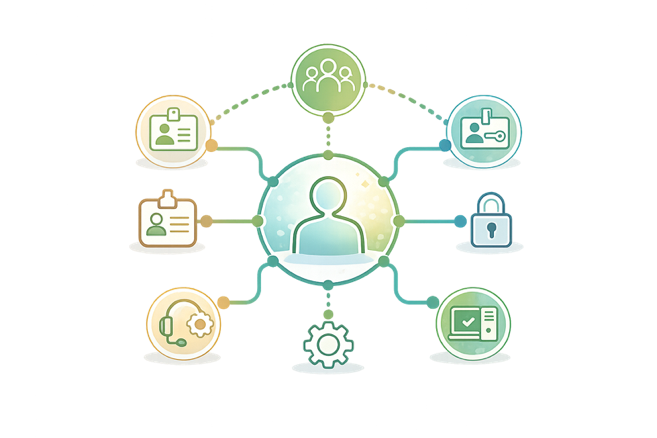
Choose a concrete change and define its source, owner and desired outcome.
Start the agreed TOPdesk activities and track exceptions and feedback.
Reuse rules where they fit; configure and test what differs per environment.
IAM with TOPdesk and Service Automation Suite
Service Automation Suite/Qixium connects the HR change to profiles, conditions and approvals. These drive the agreed TOPdesk changes and activities for IT and facilities. Account and group changes in Entra ID or local AD and asset handovers belong to the same process.
Explore the complete IAM approach
Employee data, policy, assignments and exceptions come together in Service Automation Suite/Qixium. TOPdesk supports changes and activities. The question is who receives what, why and for how long.
Read the Mesdag story Cosis: the complete employee process
Bring one of your own processes. Together, we assess the setup, ongoing operations and the value Service Automation Suite adds.
Review which templates fit and which mapping, configuration and tests your environment needs.
Inspect the logs, trace an exception and agree who handles recovery.
Walk through an amended process rule, including testing, operational responsibilities and handover.
See what is available today, what needs configuring and what is still on the roadmap. Process Orchestrator and Dashboard Composer are under development.
Discuss your operational needsFrom familiar work to a worked example
From HR and access to monitoring, assets and billing. Choose an integration type or search for an application.




Connect HR to the access matrix, approvals and TOPdesk activities. Service Automation Suite organises accounts, access, assets and feedback when employees join, change or leave.
Explore the approach


Use AFAS as the HR source and Intune as additional context, for example. Service Automation Suite updates the applications you need: Aha!, TOPdesk, NEDAP or other systems, directly or through TOPdesk where appropriate.
Explore the approach
Service Automation Suite fills lookup lists, matches existing assets, manages person relationships and connects changes to TOPdesk Change Management. Your rules determine what may be updated and what follow-up is required.
Explore the approach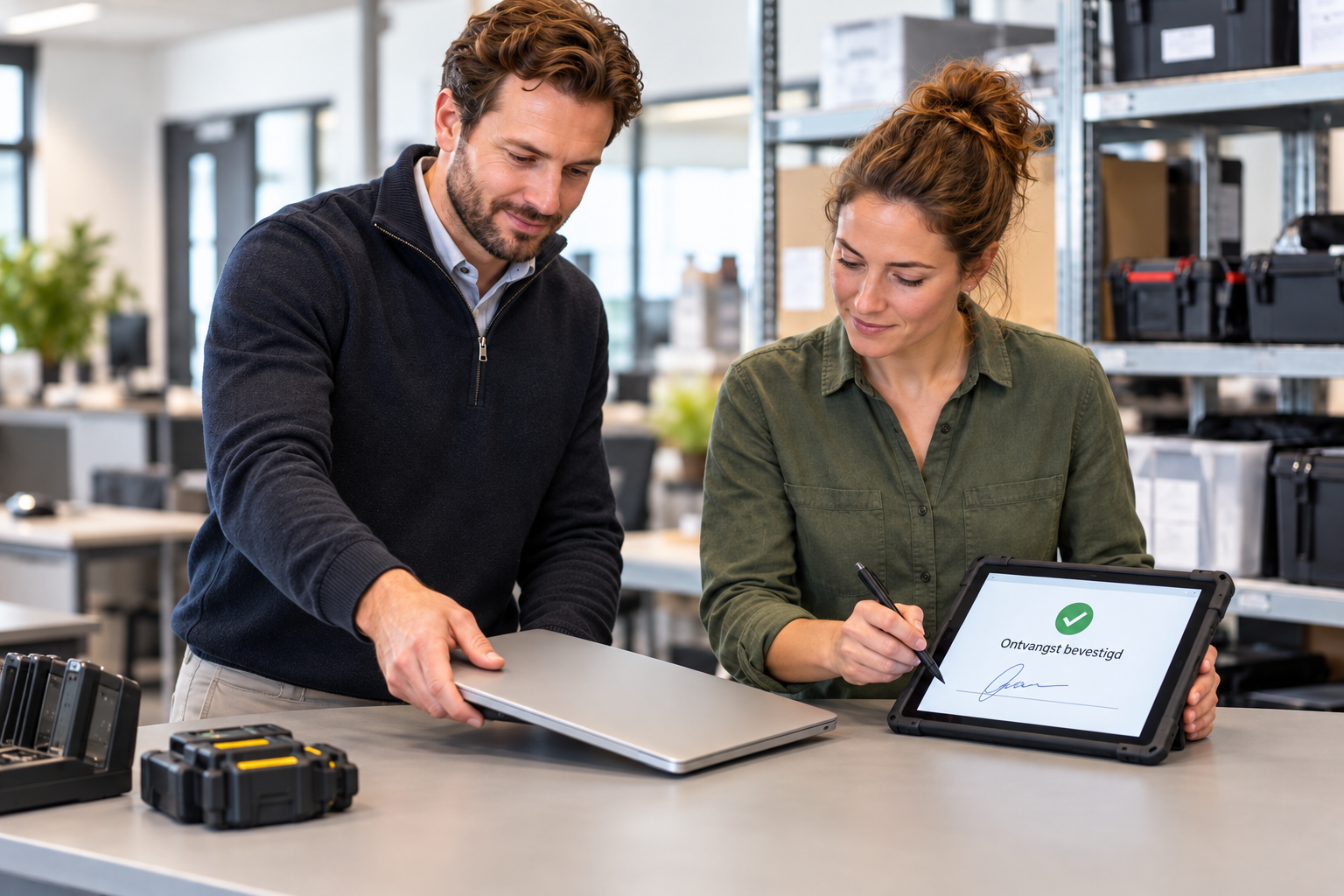

Connect request, TOPdesk Asset Management, ValidSign, personnel file, return and redeployment in one manageable lifecycle.
Explore the approach
Book from Outlook and let Service Automation Suite connect the reservation to TOPdesk and facilities follow-up. Included in Service Automation Suite Start.
Explore the approach
Show scheduled activities in calendars through the available Exchange calendar export. A focused setup, distinct from room booking.
Explore the approach
Bring contract signals, supplier actions, changes, owners and feedback together. TOPdesk remains the source for its records.
Explore the approach
Connect TOPdesk with other service environments. Map statuses and fields, and keep handovers, exceptions and progress traceable.
Explore the approach

Enrich alerts with customer and asset context and start the agreed incident response.
Explore the approach
Enrich a PRTG signal, create or update the TOPdesk incident, and route activities to the right operator. First confirm which PRTG interface and notification path fit the environment.
Explore the approach
Validate TOPdesk time entries, handle exceptions and pass approved data into the finance process.
Explore the approach
Let Service Automation Suite gather the document, signer and data, start ValidSign, and return status and evidence to TOPdesk.
Explore the approachNo applications match this selection. Change your search or clear the filters.
TOPdesk records requests, changes, activities, assets, contracts and reservations. Service Automation Suite adds value where work spans applications and teams: applying rules, starting actions, engaging suppliers, signing, checking results and reporting back. We configure this together and build on what works.
Start recurring TOPdesk activities and follow-up according to agreed rules. Less retyping and chasing; more time for exceptions.
Manage process rules and mappings together and reuse what fits. When a system changes, adapt the connection and test the process again.
Record authorisations, checks, exceptions and completed steps. This supports audits and accountability; your organisation determines which laws and measures apply.
See what moves forward, what stalls and who needs to act. Keep the process manageable as teams, tools or agreements change.
TOPdesk + ValidSign + Service Automation Suite
Issuing a laptop? You do not want to chase signatures, retype documents or check every file. Service Automation Suite connects the entire handover.
The request or event in TOPdesk starts the process.
Service Automation Suite sends the document to ValidSign.
The signed document returned. Records and personnel file updated.
Status, exceptions and processing history remain traceable.
From asset handovers to contracts and returns: steps and personnel-file integration are configured to your agreements.
Collaboration Composer
TOPdesk is one part of your service ecosystem. Collaboration Composer also connects other service management tools, so responses, statuses and attachments keep moving between teams.
Keep incidents, changes, notes and attachments connected. You decide what is shared.
Map fields, statuses, priorities and groups between the agreed interfaces.
Agree how closure, reopening and exceptions are handled. Failed synchronisations remain visible.
A native TOPdesk connection is a sound starting point. As you grow or move to another tool, you do not want to rebuild collaboration agreements for each system. Collaboration Composer keeps those agreements central.
TOPdesk APIs, action sequences and Collaboration Platform work well for a focused connection. Across several service management tools, the number of separate agreements and TOPdesk-specific configurations grows. That adds maintenance and makes change harder.
If you later move away from TOPdesk, TOPdesk-specific action sequences, field mappings and workflows need to be rebuilt. Collaboration Composer keeps the collaboration agreements centrally configured and connects TOPdesk as one of the systems. A move still takes migration work, but you do not need to recreate every agreement.
Explore service management connections

We support all calls and functions that TOPdesk exposes through its available API. From reading data to executing actions and reporting back. Your permissions, licences and API limits still apply. We track API developments and agree on changes and maintenance.
Explore more integration ideasWhy a platform? Why work with us?
A script can handle a single task well. When people, systems and agreements change, you also need maintainability, visibility and knowledge transfer. That is where Service Automation Suite and our team add value together.
Reusable integrations and automations. Expand from the same foundation.
Logging and audit trails for investigation and accountability. Follow up exceptions.
Organise access, secrets and environments. Agree how releases and recovery are handled.
Our team helps with implementation, knowledge transfer and support. Even as your team changes.
What matters now?
TOPdesk is investing in AI assistance with Robin. Shared service delivery and up-to-date information remain important. Our focus: make sure the action following a request is right, across system boundaries.
Reviewed on 9 October 2026. Vendor functionality is not a commitment about your Service Automation Suite configuration.
The space between your applications
Your applications do their job. But who organises what happens between them?
Build rules, ownership and approvals into the workflow.
Define applicable legal requirements with your responsible team. Service Automation Suite helps record checks and evidence.
No stalled handover: give errors an owner and a next action.
Adapt the rules as teams, systems or services change.
Keep exploring


Over coffee, tea or online: tell us what you are working on.
We can help with the integrations, automation and coordination your process needs, even if your application is not listed yet.