
Beyond access. Control your whole process.
Your existing applications, one connected process. For example, with Entra, HelloID and TOPdesk. Use Service Automation Suite to configure responsibilities visually and adapt as things change.

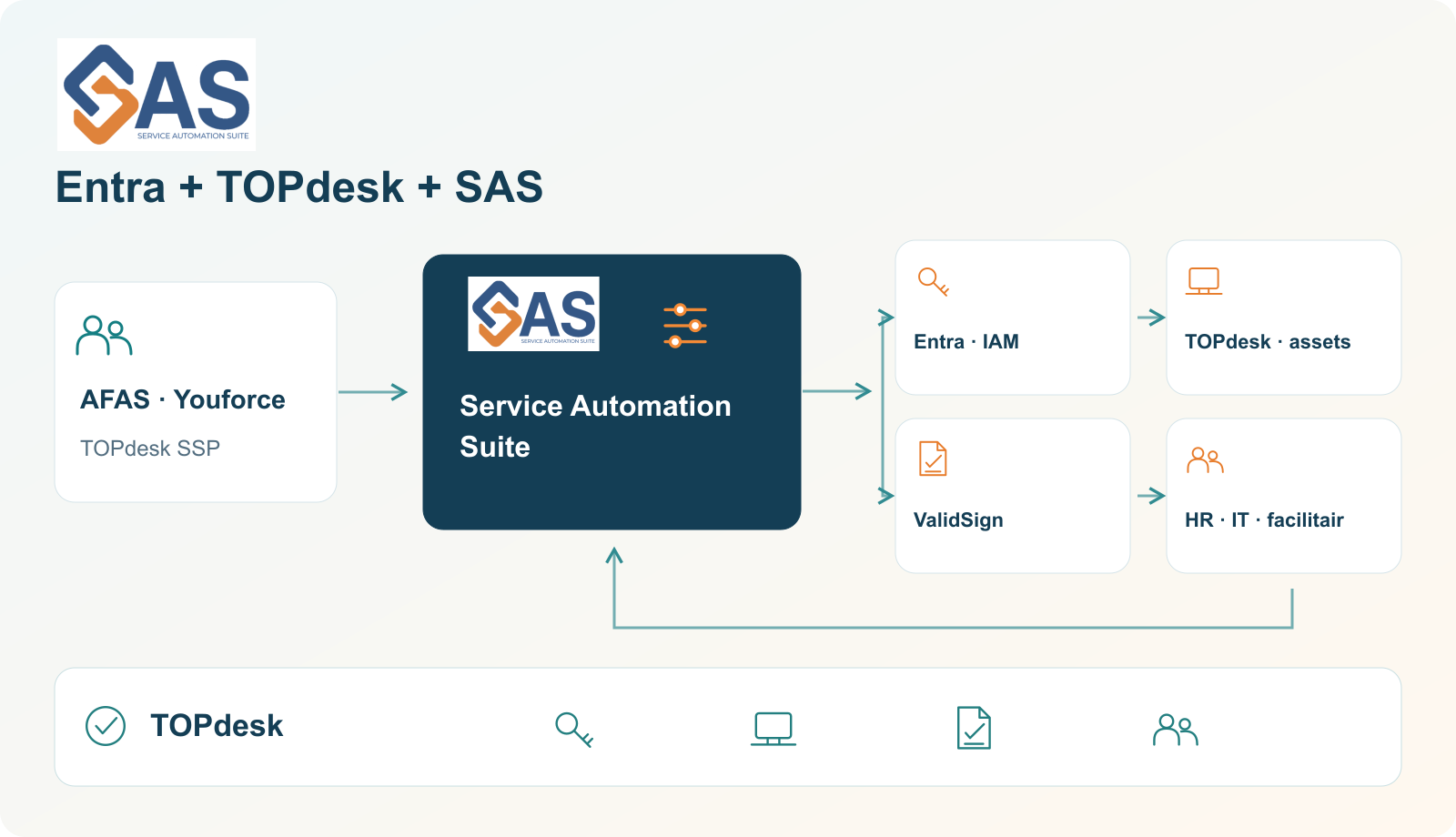
A colleague can sign in. But have their laptop and keys been issued? Has the agreement been signed? Service Automation Suite connects these steps. HR, IT, facilities and suppliers work towards the same outcome, with visibility of what is still missing.
Build visually
Understandable steps and reusable components.
Adapt quickly
Adjust the workflow and responsibilities as work changes.
Control execution
Check the outcome and follow up differences.
Give each application a clear role
HelloID from Tools4ever starts with identities and people. Service Automation Suite focuses on processes and their connections to existing applications. Capabilities overlap: Service Automation Suite can also execute account, group and authorisation steps. Using HelloID, UMRA or Entra for those tasks? We can work alongside them. Together we decide what happens where.
| Area | HelloID / IAM | Service Automation Suite: process coordination |
|---|---|---|
| People and access | HelloID / IAMIdentity lifecycle, accounts, authorisations and identity governance. | Process coordinationExecute account and authorisation steps or connect to your IAM. |
| Service and equipment | HelloID / IAMIdentity and service automation through the modules in use. | Process coordinationConnect tasks, equipment, keys, signing and suppliers in one workflow. |
| Configuration | HelloID / IAMConfiguration and forms; custom connectors can involve PowerShell. | Process coordinationBuild visually and functionally. Use code or scripts where the connection requires them. |
| Checks | HelloID / IAMGovernance and checks around identity and access. | Process coordinationCheck the entire agreed workflow; give differences an owner and a next action. |
The modules in use and your configuration determine responsibilities. Taking over IAM tasks is an option where suitable and wanted; it is not a requirement for using Service Automation Suite.
For example: Entra, TOPdesk and Service Automation Suite
We often see this combination at municipalities and healthcare organisations. For example, an HR change starts account and access actions in Entra, activities and asset records in TOPdesk, and signing in ValidSign. Service Automation Suite connects process rules, execution and feedback. Other service tools can also take part.
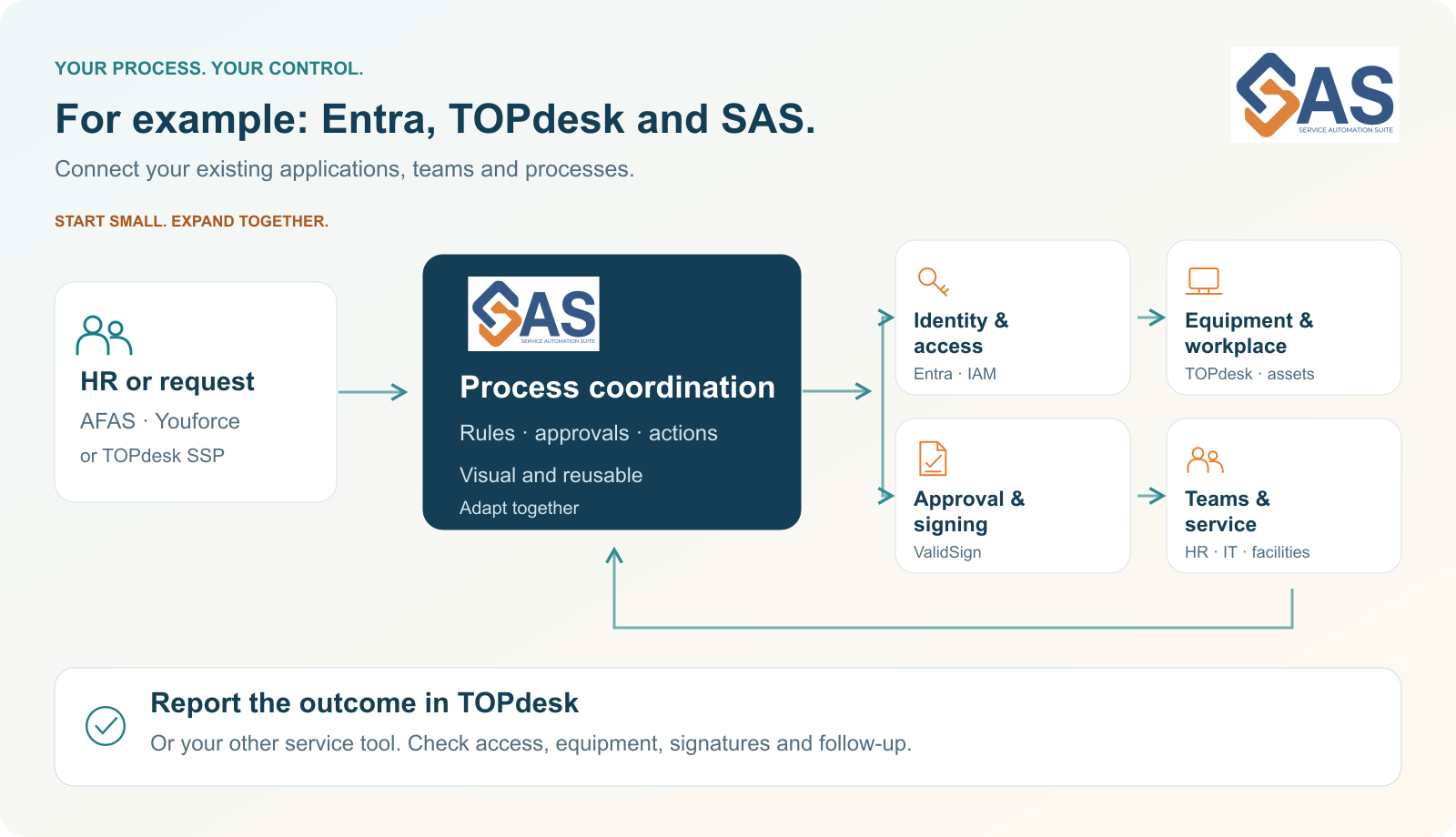
Get more from TOPdesk. We have built an extensive toolkit for TOPdesk. Examples include personnel changes, asset management, ticket synchronisation, equipment issue and return with signing, and a phased migration to Asset Management. Use TOPdesk for the configured service, task and equipment processes; Service Automation Suite coordinates with the other applications. Explore the TOPdesk examples.
Build visually. Stay flexible.
API Composer connects applications and actions. Dataflow Composer combines data. Endpoint Composer supports actions on endpoints. Collaboration Composer connects service processes. Visual, understandable configuration is our starting point.
Want to move a step to another application or change the workflow? We can adapt with you. A well-defined change can sometimes be configured and tested within hours; the connection, complexity and acceptance determine timing. Read how we work together.
Your process stays yours
Your setup has often evolved step by step. Periodically review whether sources, rules, roles and applications still fit. You may later want another identity provider instead of Entra. Keep process agreements and checks as separate from a single supplier as practical.
With Service Automation Suite, we organise coordination between applications. For a switch, we assess and test which connections and actions need to change. The aim is to adapt your way of working selectively. We also make the Service Automation Suite configuration understandable and transferable. More about digital autonomy.
Grow from €1,295 per month
No per-user surcharge. Choose suitable platform capacity; smaller plans are also available. Implementation, guidance and any third-party licences are agreed separately. Savings are based on your actual steps, time and costs.
Explore plans and capacityStart with one bottleneck and build together. In a one-hour demo, we discuss how your existing applications can work together as one process.
Product references: HelloID modules, PowerShell for HelloID custom development.
More from the same context.

Municipal processes under your control, with fewer disconnected tools.
Connect contractor flows, staff, access and equipment. Assess which functions Entra and Service Automation Suite can take over while keeping operations transferable.
Support healthcare staff with connected access, equipment and follow-up.
Connect staff, volunteers, locations and equipment. Assess where Entra and Service Automation Suite can reduce overlapping tools and handoffs.

Different laptop names in TOPdesk and Intune? Connect the right device.
Connect asset records and managed devices without duplicate administration. Understand identifiers, naming and controlled follow-up.
Digital autonomy: a practical next step together
Control over data, processes and change. We welcome conversations and collaboration with organisations working on these questions.
4 Nov 2026